

Resources
June 30, 2026 · Last updated on July 2, 2026
Introducing the Capacity Case Calculator

# Data
Why we built a free calculator to turn "I need more help" into a number leadership can actually act on

Ant Davis
If you've ever sat across from a manager and tried to explain why you need a new hire, you'll know the conversation usually goes one of two ways. Either you say something vague like "I'm stretched really thin at the moment," which lands somewhere between a complaint and a guess. Or you go the other way and build a slide deck so dense with justification that nobody reads past slide two.
In my experience, neither works. Not because the need isn't real, but because "busy" isn't a business case. Hours are.
That's the entire idea behind the Capacity Case Calculator, the first practitioner tool we've shipped on the Secure Culture Hub. It's free, it lives entirely in your browser, and it does one job: it turns "I need more help" into a number, a chart, and a sentence a CISO can pass on.
The problem we kept running into
Every practitioner I've spoken to over the past few years has the same story. Their role has quietly grown. Phishing simulation, content creation, reporting, champions networks, reactive firefighting, the lot, all stacked onto a job that was scoped for about half of it. And when they try to make the case for more resource, they're stuck describing a feeling rather than a fact.
The honest version of the problem isn't "I'm too busy." It's "here is exactly where 37 hours a week goes, here is what a new hire would actually do with their time, and here is what changes for me once they're in the seat." That's a different conversation entirely, and it's one budget holders are much more comfortable having, because you've done the thinking for them. This is the exact process I used, twice, to get more headcount. That's being said, I offer no promises!
What the calculator actually does
You set three things, completely independently of each other:
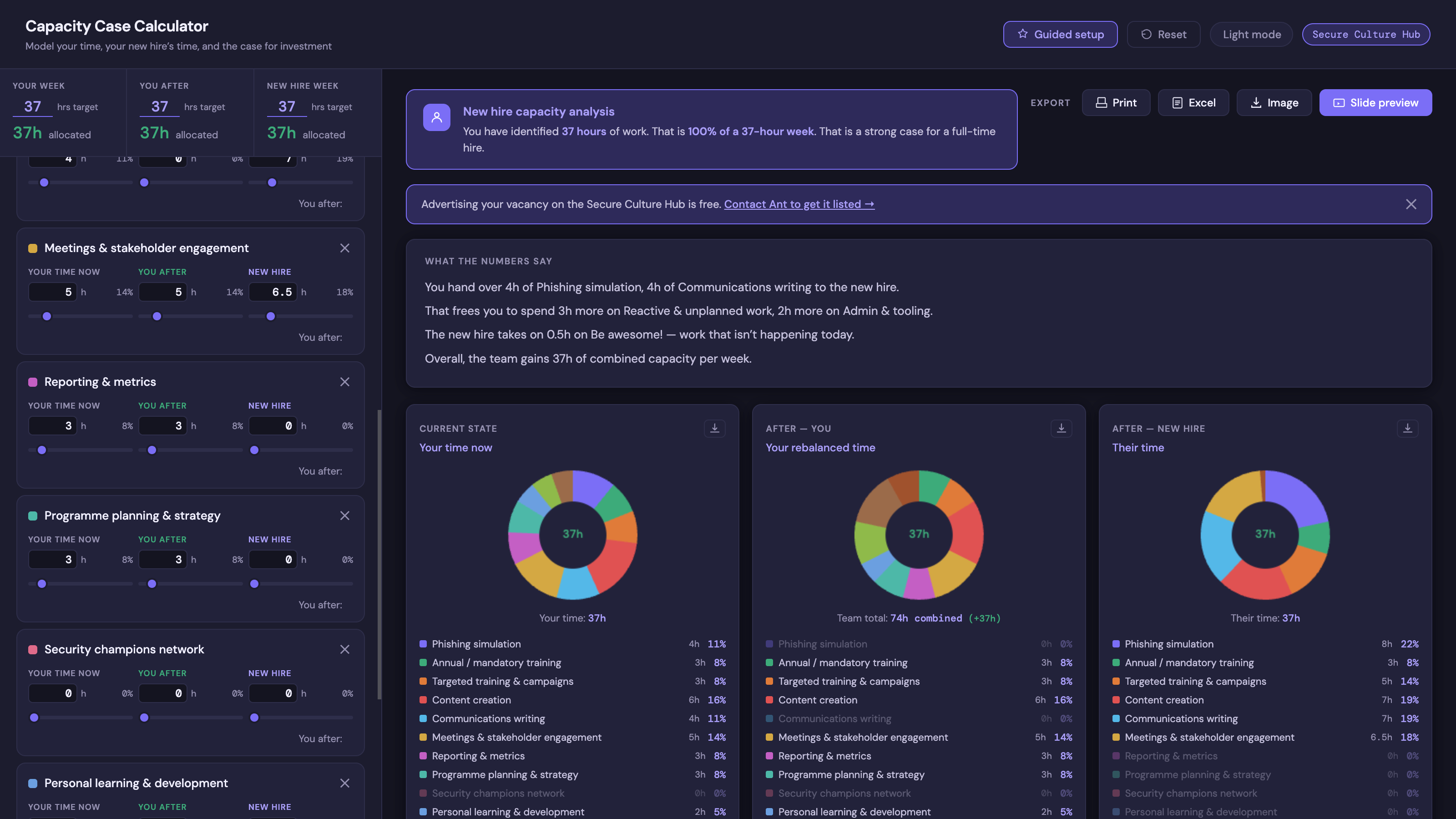
Your week - How many hours you work, and where they currently go across activities like phishing simulation, content creation, meetings, reporting, and so on.
Your week after - What your time would look like once the new hire is in place. Maybe you're stepping back from day-to-day delivery and into strategy. Maybe you're going part-time. The tool doesn't assume anything, you tell it.
Their week - The new hire's hours and what they'd actually be doing with them, including capabilities that don't exist in your programme yet but would become possible with the extra capacity.
Nothing auto-links between those three columns. If you want to spend 5 more hours on programme strategy after the hire while they pick up 8 hours of phishing admin, that's exactly what the donut charts and the totals will show. No silent assumptions, no forced trade-offs.
As you adjust the sliders, three donut charts update live, a plain-English summary writes itself underneath ("you hand over 4h of reporting to the new hire, that frees you to spend 6h more on strategy, the new hire also takes on 5h of champions network work that isn't happening today"), and a capacity analysis tells you whether the hours you've identified support a full-time hire, a part-time arrangement, or a contractor.
How to actually use it
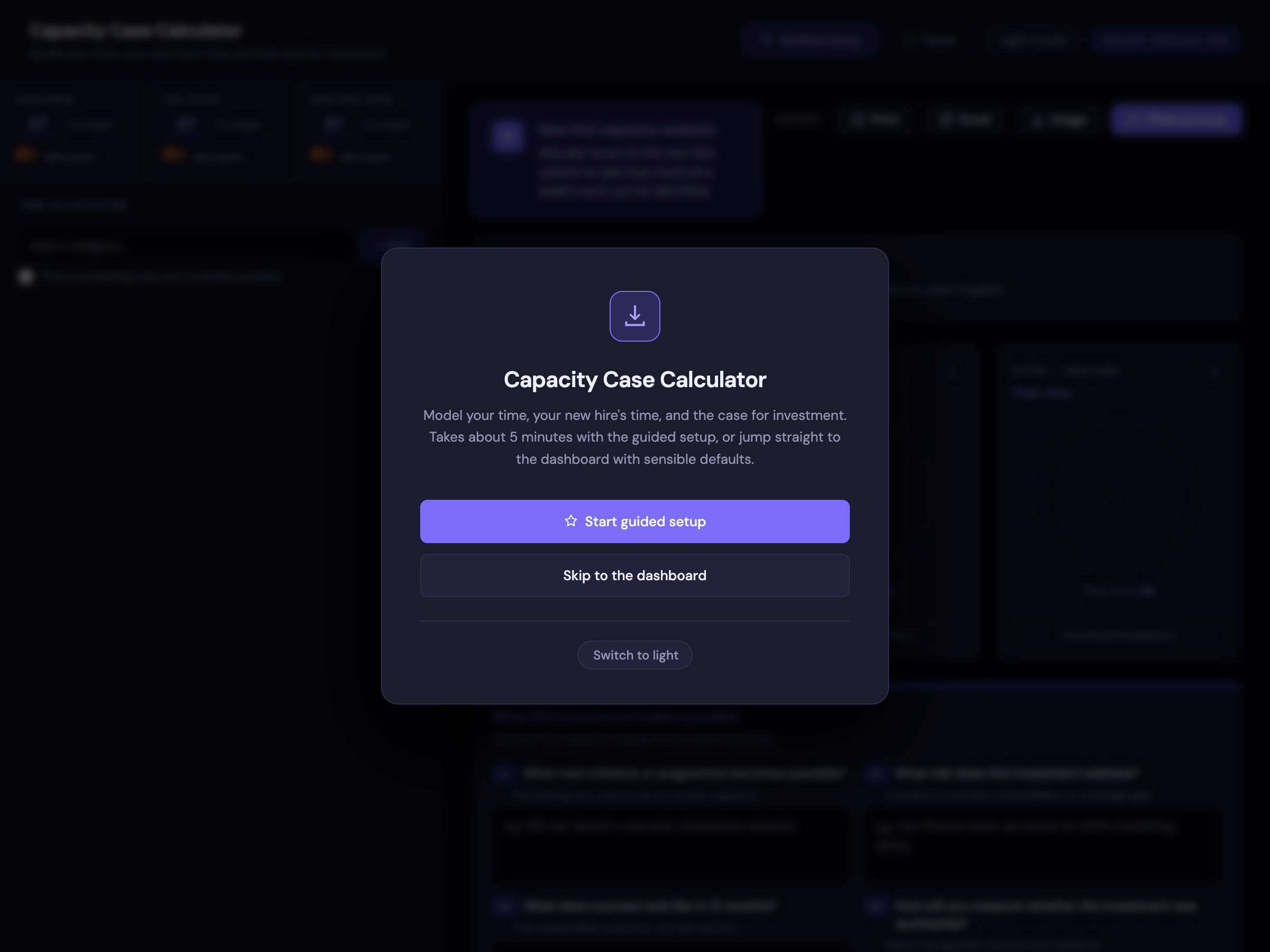
Open the calculator and you'll land on a small welcome screen with two paths. If you want a hand getting started, take the guided setup. It walks you through picking your activities, naming where the pressure shows up in your week, setting your hours, describing the role you're trying to justify, allocating your current time, and building a four-part business case. Takes about five minutes and the whole dashboard is populated by the time you finish.
If you'd rather dive straight in, skip it. The dashboard loads with sensible defaults and you can start dragging sliders immediately.
Either way, here's the order I'd work through it in.
Start with your current week - Be honest about where your hours actually go, not where you wish they went. This is the baseline everyone will compare against, so it needs to hold up.
Model the new hire's week next - What would they pick up? Don't just think about handing over existing work, think about what becomes possible that isn't happening today. That's usually the more persuasive half of the argument.
Then come back to your own "after" column - With support in place, where would your time actually go? This is the bit people skip, and it's often the most important part of the pitch, because it shows leadership you're not just asking for headcount to maintain the status quo, you're asking for it to do something genuinely new.
Fill in the business case section - Four questions: what new initiative becomes possible, what risk this investment addresses, what success looks like in 12 months, and how you'll measure it. If you ran the guided setup and flagged pain points earlier, some of that risk language is already drafted for you. Edit it, don't just accept it.
Then export - You've got options depending on who you're presenting to and how:
- A four-slide presentation deck at full HD resolution, ready to drop straight into a PowerPoint or Keynote: current state, proposed state, a dedicated slide introducing the new hire, and the capacity change summary.
- Individual donut charts as standalone images, each with a full legend, if you just want to drop one chart into someone else's deck or document.
- A clean breakdown table per chart, no donut at all, for when the numbers matter more than the visual.
- A full Excel workbook with the capacity breakdown and your business case answers on separate sheets, for the inevitable follow-up spreadsheet request.
- Print to PDF or a single PNG of the whole dashboard.
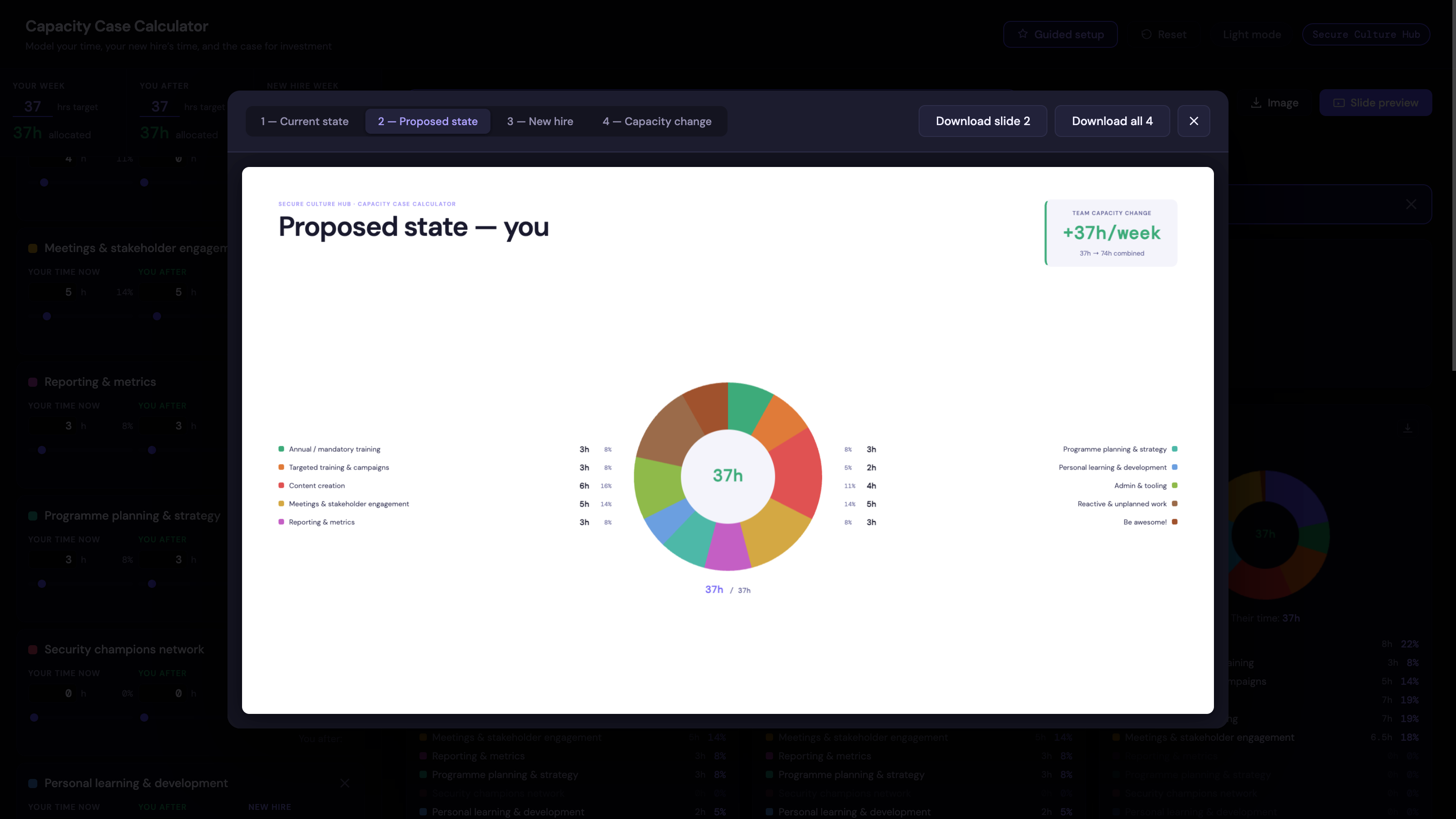
Whatever export you use, the buttons and the community link never show up in it. What leadership sees is your numbers and your case, nothing else.
A few things worth knowing
It runs entirely in your browser. Nothing you enter gets sent anywhere, there's no login, and you can use it completely offline once the page has loaded. Toggle between light and dark mode whenever you like, the tool respects your system preference on first visit and remembers your choice after that.
It's vendor neutral, same as everything else on the Hub. This isn't a lead magnet for a particular platform. It's a tool built for the conversation, full stop.
Improvements and suggestions welcome
This is version one (actually 1.2). I built it because I had to make do a few years ago and a tool like this would have been useful, and I'd rather it grow based on what practitioners actually run into rather than what I guessed they'd want. If something doesn't work, if a category is missing, if the wizard trips you up, or if you've used it for a headcount conversation and have thoughts on what would have made it stronger, I want to hear about it.
Drop a comment below, or find me on the Hub. The next version will be shaped by what comes back.
If you have ideas for any more tools, let me know and I'll see what we can do! If you're struggling with something, there's a good chance someone else is too!
Open the Capacity Case Calculator →
Comments (3)
Popular

Dive in